Quad Core Back in the Day
Around 2010, I built a computer for home use. At the time it was a respectable AMD-based machine, and surprisingly, it is still running today.
After years of daily use, it eventually found a second life with my daughter, where it continues to do exactly what it was built to do.
Original Specifications
- Motherboard: ASUS M4A77TD Pro (Socket AM3)
- CPU: AMD Phenom II X4 965 Black Edition
- RAM: 8 GB DDR3 (4 × 2 GB)
- GPU: ATI Radeon HD 6770 1 GB
- Storage: Seagate 2 TB Hard Drive

Looking back, it is remarkable how long that machine lasted. In a world where technology is often treated as disposable, it served faithfully for well over a decade.
Ryzen Rises Up
In 2022, before handing the old machine over to my daughter, I built a replacement for myself.
New Build (2022)
- Motherboard: ASUS TUF Gaming B550M-Plus
- CPU: AMD Ryzen 5 3600 (6 cores / 12 threads)
- RAM: 16 GB Corsair Vengeance LPX 3200 MHz (2 × 8 GB)
- GPU: Gigabyte GeForce GTX 1660 SUPER
- Storage: Samsung 970 EVO NVMe M.2 SSD
- Power Supply: Corsair VS650
- Cooling: Cooler Master RGB AIO Liquid Cooler
- Case: RGB Gaming Case

I have never been someone who upgrades every three years. I simply have too many hobbies competing for the same wallet.
The main reason for upgrading at the time was practical rather than enthusiast-driven. My old Phenom system had reached the point where newer versions of Adobe Photoshop required CPU features that it simply did not support.
The new Ryzen system felt incredibly fast. Boot times were almost instantaneous compared to the old machine, and everyday tasks became effortless.
Still, over time I started noticing its limits.
Adobe Lightroom became sluggish during larger editing sessions, and Counter-Strike 2 occasionally struggled during intense moments on newer maps. The system was still good, but it was no longer comfortably ahead of my workload.
The RAM Mystery
In 2024, I decided to upgrade the system from 16 GB to 32 GB of RAM by adding two more matching Corsair modules.
At first, I was excited.
Then came the blue screens.
Photo editing, large numbers of browser tabs, and other memory-intensive tasks would randomly crash the system.
After a fair amount of troubleshooting, I discovered the culprit: one of the motherboard’s RAM slots was faulty.
Rather than replacing the motherboard immediately, I continued running the system with three populated slots. It was not ideal, but it worked well enough for another couple of years.
The alternative was a warranty process that would leave me without a PC for several weeks, and I was not particularly eager to rebuild everything from scratch.
Discovering That Motherboards Can Be Swapped
While researching my options, I stumbled across something I had never seriously considered before: modern versions of Windows are remarkably good at surviving motherboard replacements.
For years I had assumed that changing a motherboard automatically meant formatting the PC and starting over.
It turns out that is often no longer the case.
After some research and discussions with Gemini, I became confident enough to proceed with a motherboard upgrade instead of a complete rebuild.
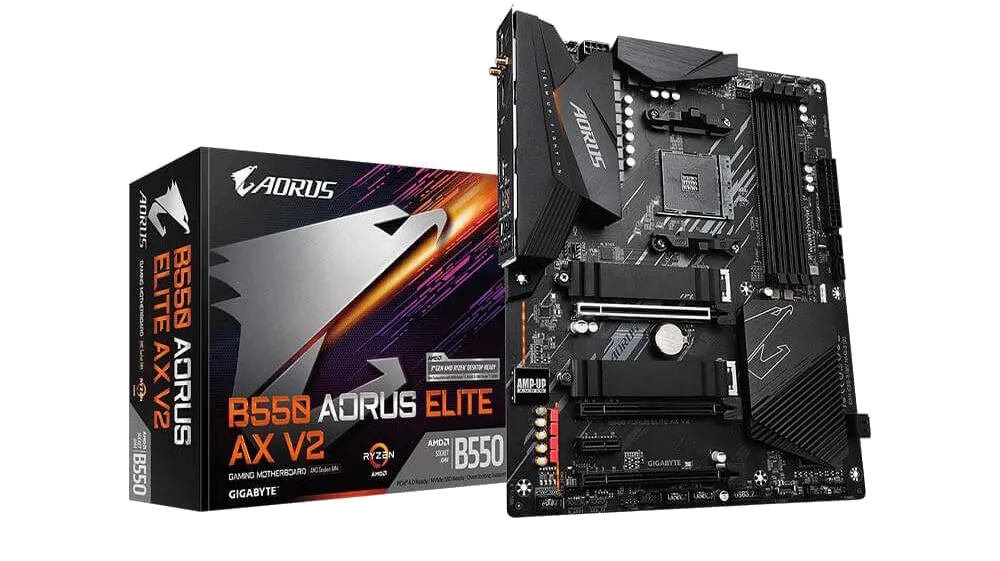
I settled on the Gigabyte B550 AORUS ELITE AX V2.
The AM5 platform is now well established, and AM4 boards are becoming less common. However, a complete platform upgrade simply was not in the budget, and AM4 still offers excellent value.
During this process, I discovered something else entirely.
My RAM had never been running at its rated speed.
Like many users, I had assumed that 3200 MHz memory would automatically run at 3200 MHz. Instead, the system had defaulted to a much lower JEDEC speed of around 2133 MHz.
Enabling XMP in the BIOS finally allowed the memory to operate at its intended speed.
Combined with a proper four-stick configuration, the difference was immediately noticeable.
Sometimes the biggest performance gains come not from buying new hardware, but from finally allowing your existing hardware to run the way it was designed to.
Planning the Next Upgrades
The motherboard upgrade also highlighted the next bottlenecks in my system.
After a lot of reading, research, and discussion, I settled on the following upgrades.
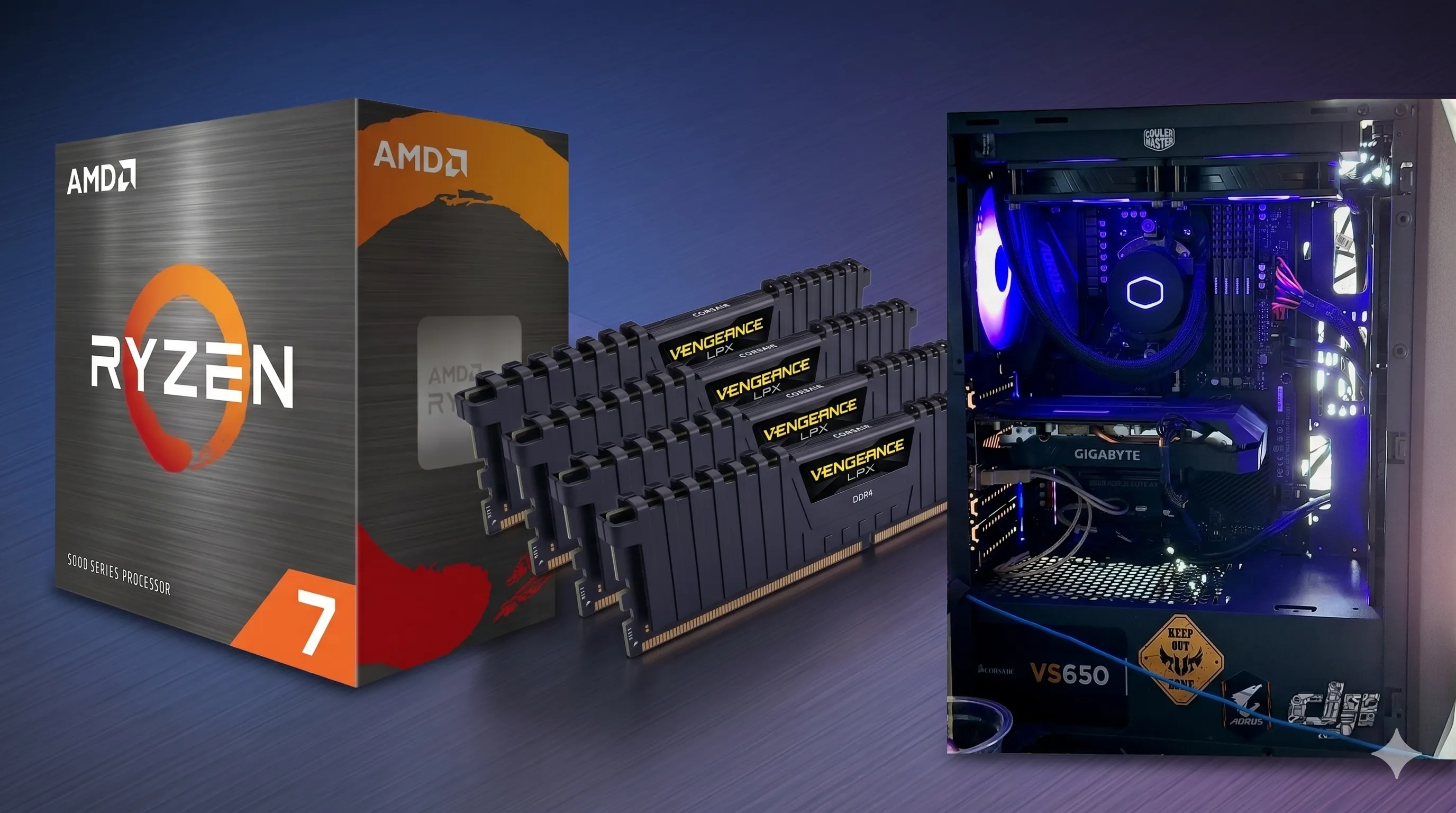
CPU (Ryzen 7 5700X)
My first choice was the Ryzen 7 5700X3D, primarily because of its massive 96 MB of L3 cache.
Unfortunately, stock availability made that difficult.
The Ryzen 7 5700X became the practical choice and still represents a significant step forward from the Ryzen 5 3600.
GPU (Radeon RX 9060 XT)
The graphics card decision took considerably longer.
Graphics card prices remain stubbornly high, particularly when you start looking at models with larger amounts of VRAM.
Eventually, I settled on the XFX SWIFT Radeon RX 9060 XT 16 GB.
Reaching the 16 GB VRAM tier stretched the budget more than I originally intended, but I wanted a card that would remain useful for several years rather than become constrained by memory limitations.
The Current Build
The system now looks like this:
- Motherboard: Gigabyte B550 AORUS ELITE AX V2
- CPU: AMD Ryzen 7 5700X
- RAM: 32 GB Corsair Vengeance LPX 3200 MHz (4 x 8 GB)
- GPU: XFX SWIFT Radeon RX 9060 XT 16 GB
- Storage: Samsung 970 EVO NVMe M.2 SSD
- Power Supply: Corsair VS650
- Cooling: Cooler Master RGB AIO Liquid Cooler
- Case: RGB Gaming Case
Why the Gigabyte B550 AORUS ELITE AX V2?
I was not looking for the most expensive motherboard on the market. I simply wanted something reliable with the features I actually use.
My requirements were:
- Four RAM slots
- B550 chipset
- Plenty of USB connectivity
- USB-C support
- Two NVMe M.2 slots
- Strong VRM design
- 2.5 Gb Ethernet
The board also included a few additional features that were nice bonuses, but those were the main boxes it needed to tick.
Lessons Learned
One of the things I enjoy most about building PCs is that every upgrade teaches you something.
A few lessons from this project:
- XMP needs to be enabled if you want RAM to run at its advertised speed.
- Memory configuration matters more than many people realise.
- A motherboard swap does not necessarily require reinstalling Windows.
- Linking Windows activation to a Microsoft account makes hardware upgrades much easier.
- Bottlenecks are often more important than raw specifications.
- Troubleshooting hardware can teach you far more than simply buying newer parts.
Most importantly, I was reminded that technology upgrades are rarely about chasing benchmark numbers.
They are about identifying the parts of a system that are holding you back and fixing those limitations in a sensible, cost-effective way.
What I Expect to Gain
For gaming, photography, video editing, and software development, this upgrade should provide a noticeable improvement across the board.
Counter-Strike 2 should benefit from both the faster processor and the properly configured memory.
Adobe Lightroom should feel more responsive during exports, previews, masking, and AI-assisted workflows.
My development environment and browser sessions should also be far more comfortable thanks to the combination of 32 GB of RAM and improved CPU performance.
More importantly, the system feels balanced again.
There are no obvious weak points left demanding immediate attention.
Final Thoughts
Building and upgrading PCs has never really been about the hardware for me. The hardware is just the excuse.
What I enjoy is the process of learning, troubleshooting, researching, and gradually improving something over time. Every upgrade teaches you something new, and every problem solved leaves you understanding your system a little better than before.
This upgrade journey reminded me that sometimes the biggest improvements come not from buying the newest technology, but from understanding the technology you already own.
And if this upgraded AM4 machine can give me another five years of service, I will consider it money very well spent.